DEVCLI_
> ORCHESTRATE_YOUR_WORKFLOW
The terminal-first process manager built for speed and reliability. Manage complex environments without leaving your shell.
>Core Capabilities
// Engineered for high-performance development environments
AUTO_RESTART
Configurable restart on crash with exponential backoff, max restart limits, and smart failure detection.
HEALTH_CHECKS
HTTP, TCP, and command-based health monitoring with automatic restart on failure detection.
BUILTIN_TUI
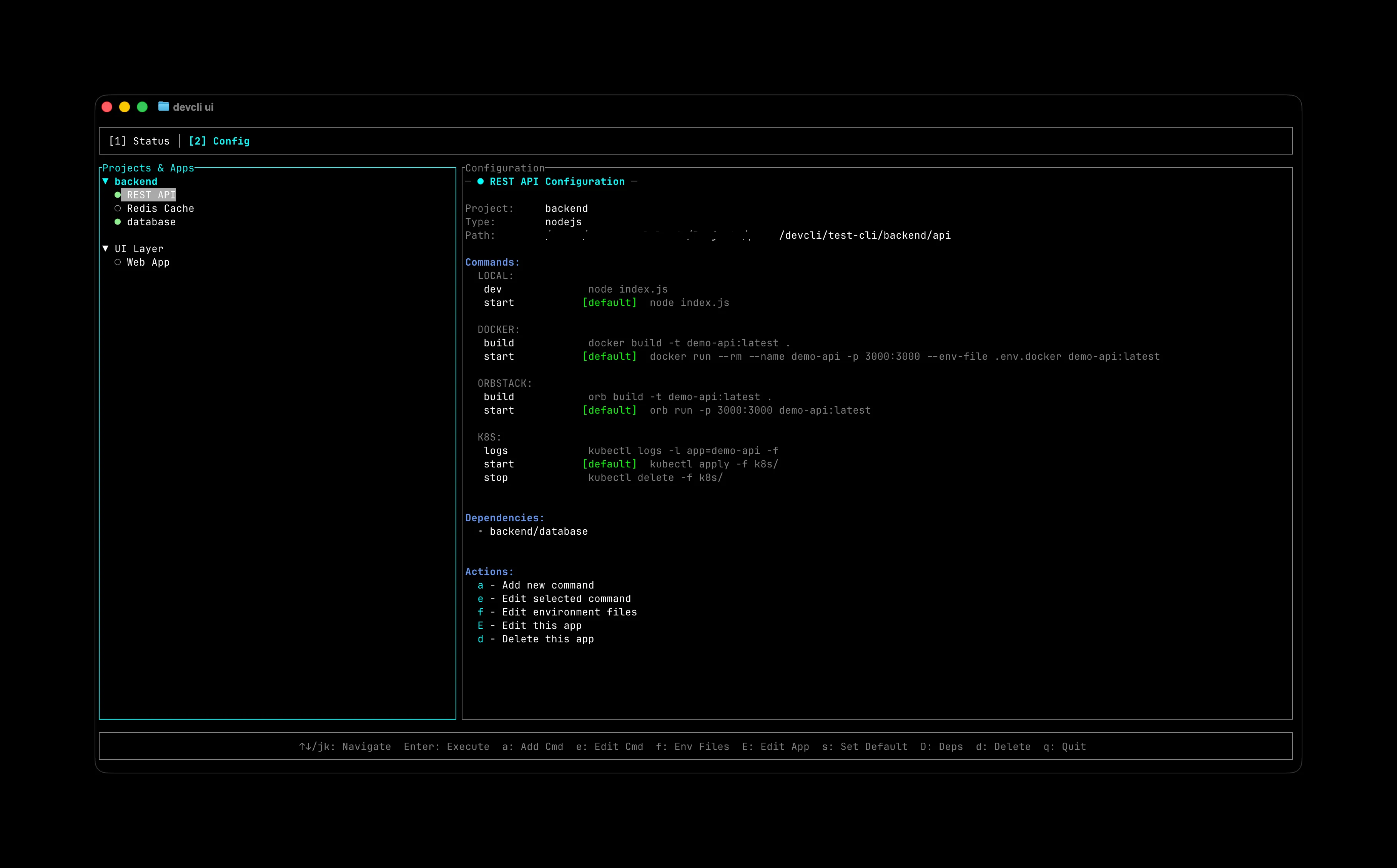
Real-time dashboard with live logs, process status, and interactive management. No external tools needed.
DEPENDENCIES
Smart dependency resolution with automatic startup ordering and cascading restarts.
METRICS_LOGS
JSON structured logs, process metrics, performance tracking, and HTTP metrics API endpoint.
DOCKER_NATIVE
Native Docker support with env injection, multi-stage builds, and OrbStack optimizations.
> SCALABLE_BEYOND_DEFAULTS
"Multi-environment configuration, stage support, privacy-friendly alternative names, Nx monorepo detection, environment variable management, and much more. DevCLI grows with your needs."
>Terminal Intelligence
// A high-fidelity interface for complex process orchestration
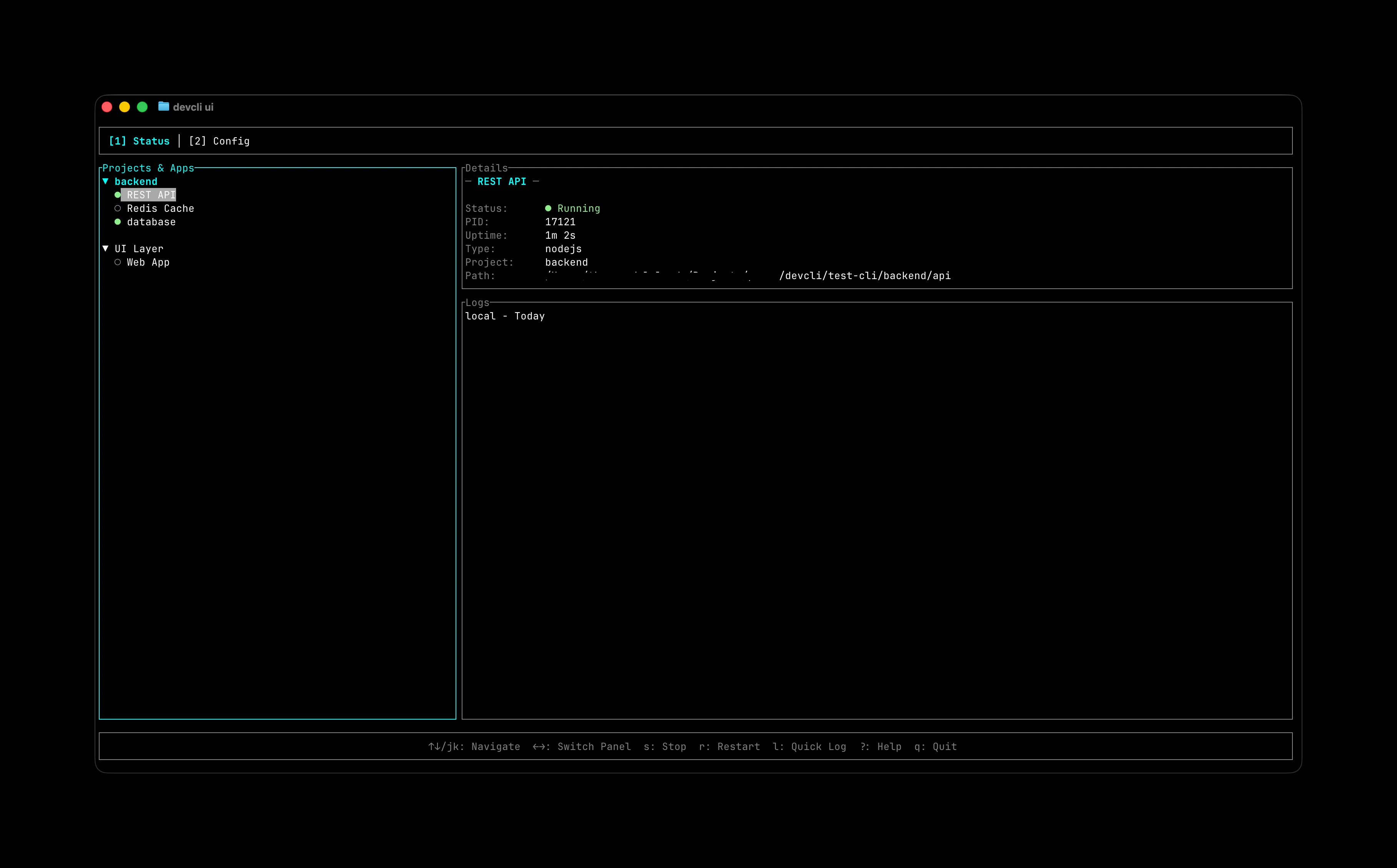
> LIVE_SYSTEM_MONITOR
Monitor all your processes in real-time with a beautiful terminal UI. Tracks status, uptime, logs, and health checks with zero external dependencies.
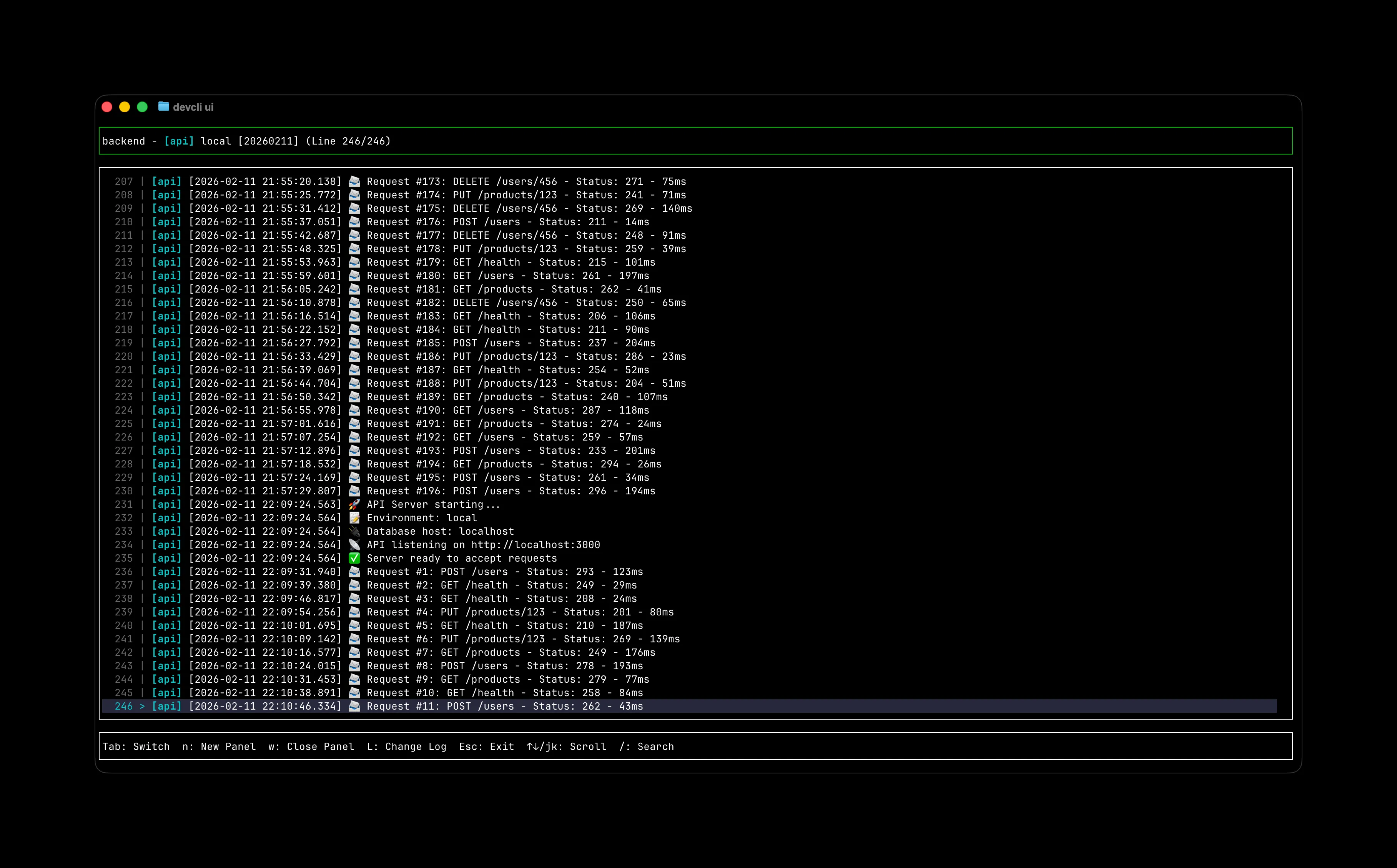
> MULTI_STREAM_LOGS
Watch logs from multiple apps simultaneously with full ANSI color support and smart regex filtering.
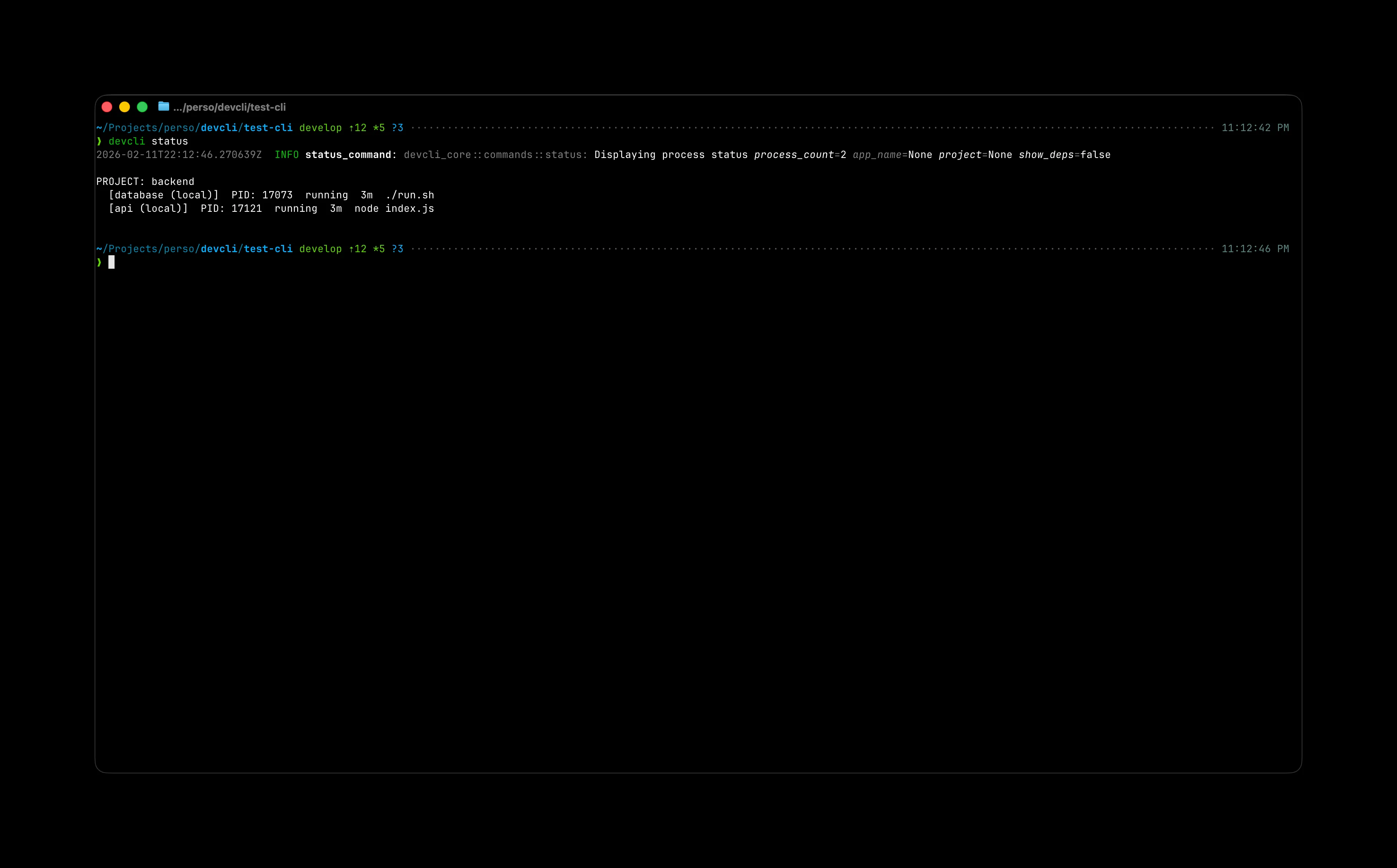
> INTUITIVE_CLI_UX
Rich, colorful CLI output designed for human readability. Quickly audit your system state at a glance.
> DECLARATIVE_CONFIG
Simple JSON configuration that version-controls your entire development stack.
>Deployment
// Inject DevCLI into your workflow in seconds
QUICK_INSTALL
// Recommended for most environments
> INITIAL_SETUP_PROTOCOL
INSTALL
curl | sh INIT
config init DETECT
auto-add START
start >Competitive Edge
// How DevCLI compares to common alternatives
vs_pm2
- [+] NATIVE_HEALTH_CHECKS
- [+] BUILTIN_TUI_VIEWER
- [+] TOPOLOGICAL_SORTING
- [+] ORBSTACK_READY
vs_docker_compose
- [+] HYBRID_ENV_MODES
- [+] INTERACTIVE_CONTROL
- [+] EXPONENTIAL_BACKOFF
- [+] RETRY_LOGIC_V2
vs_custom_scripts
- [+] ZERO_MAINTENANCE
- [+] DECLARATIVE_JSON
- [+] CENTRALIZED_LOGS
- [+] X_PLATFORM_CORE